





Assignment or categoryWeightScore %
Weights can be percentages or points; they don't have to add up to 100. Leave the score blank for anything not graded yet.
Weighted grade
—



This weighted grade calculator combines any number of assignments, tests or categories, each with its own weight, into a single grade. Weights can be percentages from your syllabus or points, they don’t need to add up to 100, and anything you leave blank is treated as not yet graded rather than as a zero. You get the weighted average, the letter grade, how much each item contributed, and, if you enter a target, the average you need on the remaining work.
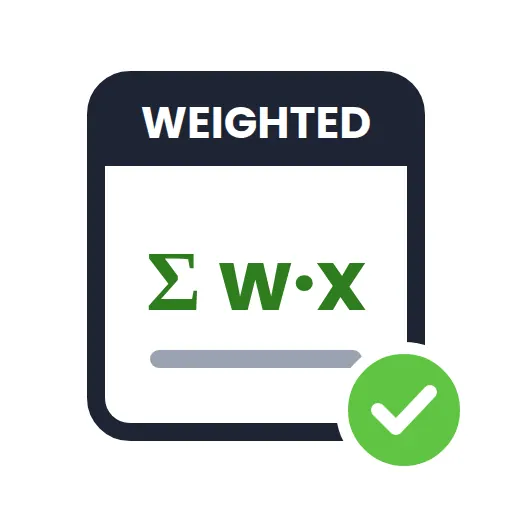
Multiply each score by its weight, add the results, and divide by the total weight of the items you included:
weighted grade = Σ (score × weight) ÷ Σ weight
Example: homework 94% (weight 15), lab reports 88% (15), quizzes 79% (10) and a midterm 81% (25). The weighted sum is 94 × 15 + 88 × 15 + 79 × 10 + 81 × 25 = 5,545. The graded weight is 65, so the grade is 5,545 ÷ 65 = 85.3%, a B. A final exam worth 35 hasn’t been taken, so it’s excluded until you enter a score.
Because the calculator divides by the total weight you enter, it also works when weights are points (a 40-point project and a 160-point exam) or when a syllabus uses 105% including extra credit.
A simple average of the four scores above is (94 + 88 + 79 + 81) ÷ 4 = 85.5%. The weighted grade is 85.3%, slightly lower, because the heaviest item, the midterm, was the second-lowest score. When weights vary a lot, the two can differ by several points. Our guide explains how to calculate a weighted average by hand and where people go wrong.
Each bar shows the points an item added to the final grade out of the maximum it could add. Homework at 94% with weight 15 adds 14.1 points out of a possible 15. That view tells you where the biggest gains are: an item with a large weight and a middling score is worth far more revision time than a small item you already aced.
For a course laid out in categories with a “what do I need on the final” tab, use the Grade Calculator. To plan a single exam score, use the Final Grade Calculator. To turn course grades into a GPA, use the GPA Calculator. The general idea of weighting is explained in this overview of the weighted arithmetic mean.
That’s fine. The weighted grade calculator divides by whatever total you enter, so points-based syllabi and extra-credit schemes work without conversion.
No. Leave it blank. A zero means you did the work and scored nothing, which drags the grade down. Blank means “not counted yet”.
Convert to a percentage first (earned ÷ possible × 100), or use the Grade Calculator, which has a points mode built in.
It solves (target × total weight − current grade × graded weight) ÷ ungraded weight. If the answer is above 100%, the target isn’t reachable.
Yes. Use each subject as a row with its credit value as the weight and your subject grade as the score, and you get a credit-weighted term average.
Your rows stay in your own browser so they’re still there next time. Nothing is sent to a server.
Short, practical reads that pair with this tool.
Free, in your browser, no sign-up.
 Optimized by Seraphinite Accelerator







 Final Grade Calculator
 Study Timer (Pomodoro)
 CGPA to Percentage Converter
 Grade Calculator